
11: Reaction Timer
This project turns your circuit into a two-player reaction game.
Three LEDs count down like a starting light: red, then yellow, then green. When the green LED turns on, both players race to press their button. The first player to press wins, and their LED lights up.
Coding ideas you will use:
- variables to store each pin number
- a function to reuse the countdown every round
- randomness so you cannot predict when the green LED will turn on
- a loop and conditions (
if) to watch both buttons and decide who won
Learn more (optional):
Goal
Watch the countdown, then press your button as fast as you can once the green LED turns on.
Parts you need
- 5 LEDs (red, yellow, and green for the countdown, plus blue and white for the players)
- 5 resistors
- 2 pushbuttons
- jumper wires
- breadboard
- RP2040-Zero
Important: choose the right resistor
Your kit has 150Ω and 100Ω resistors.
- For a red or yellow LED, use 150Ω
- For a green, blue, or white LED, use 100Ω
Using the wrong resistor can damage an LED.
Wiring idea
Build it first, then compare your setup to the diagram. Did you connect each part to the pin you meant to use?
Suggested setup:
- button 1 on
GP0 (GPIO 0) - player 1 LED (we use blue) on
GP1 (GPIO 1) - red countdown LED on
GP2 (GPIO 2) - yellow countdown LED on
GP3 (GPIO 3) - green countdown LED on
GP4 (GPIO 4) - player 2 LED (we use white) on
GP5 (GPIO 5) - button 2 on
GP6 (GPIO 6)
Each LED needs its own resistor, and the short leg (-) of each LED goes to GND.
For the buttons, connect one side to the GPIO pin and the other side to GND. The code uses the board's built-in pull-up resistors, so you do not need extra resistors for the buttons.
Hint
This is the same idea as 10: Color Picker, with three more LEDs for the countdown.
Build steps
Try each step, then check your work with the blurred photos below. Did you connect it the way you meant to?
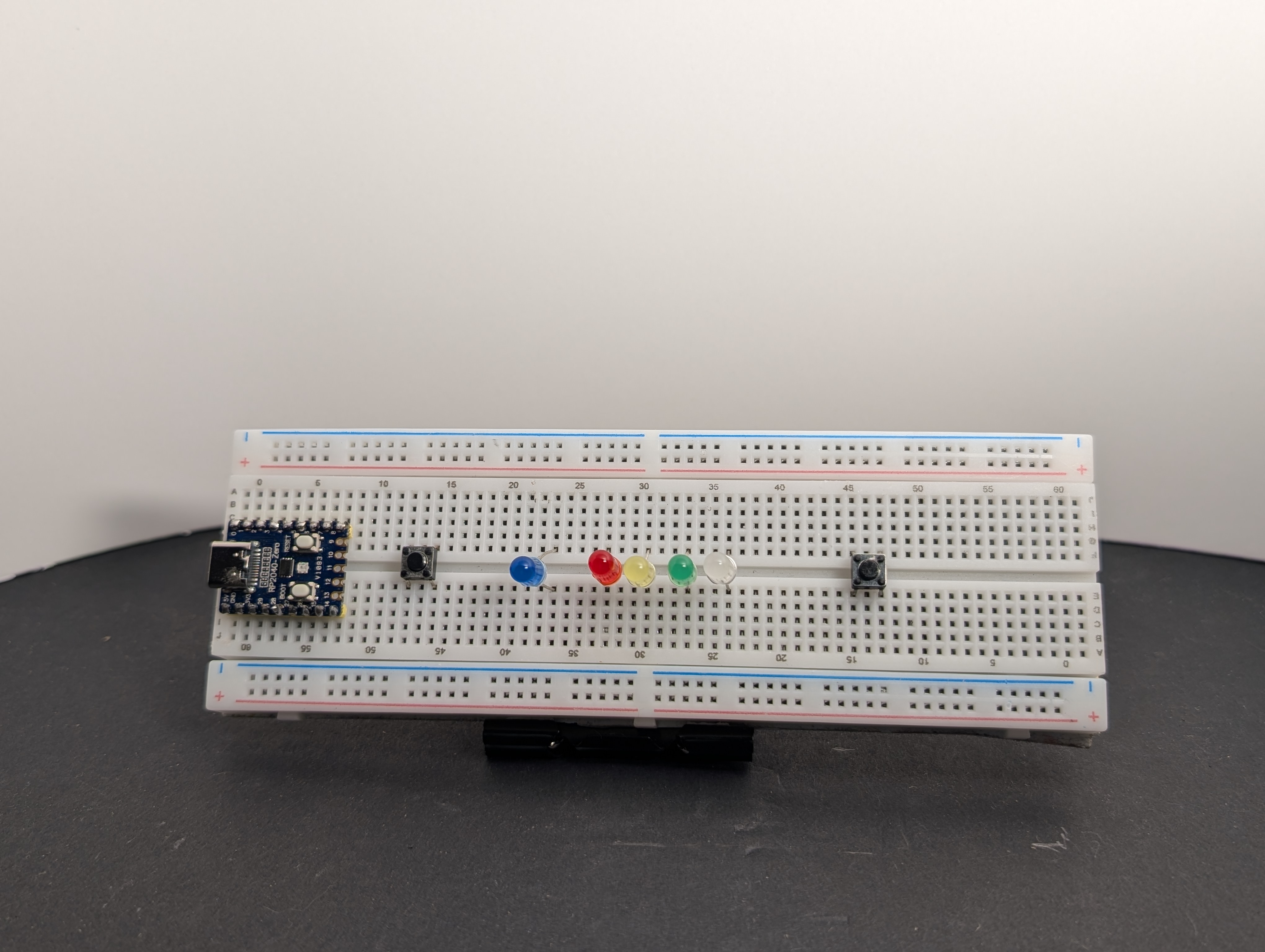
- Place two buttons and five LEDs on the breadboard. Put one button at each end, and make sure each button bridges the center of the breadboard.
- Connect the short leg (
-) of every LED to theGNDrail using resistors. Remember to use a 150Ω resistor for the red and yellow LEDs (see the warning above).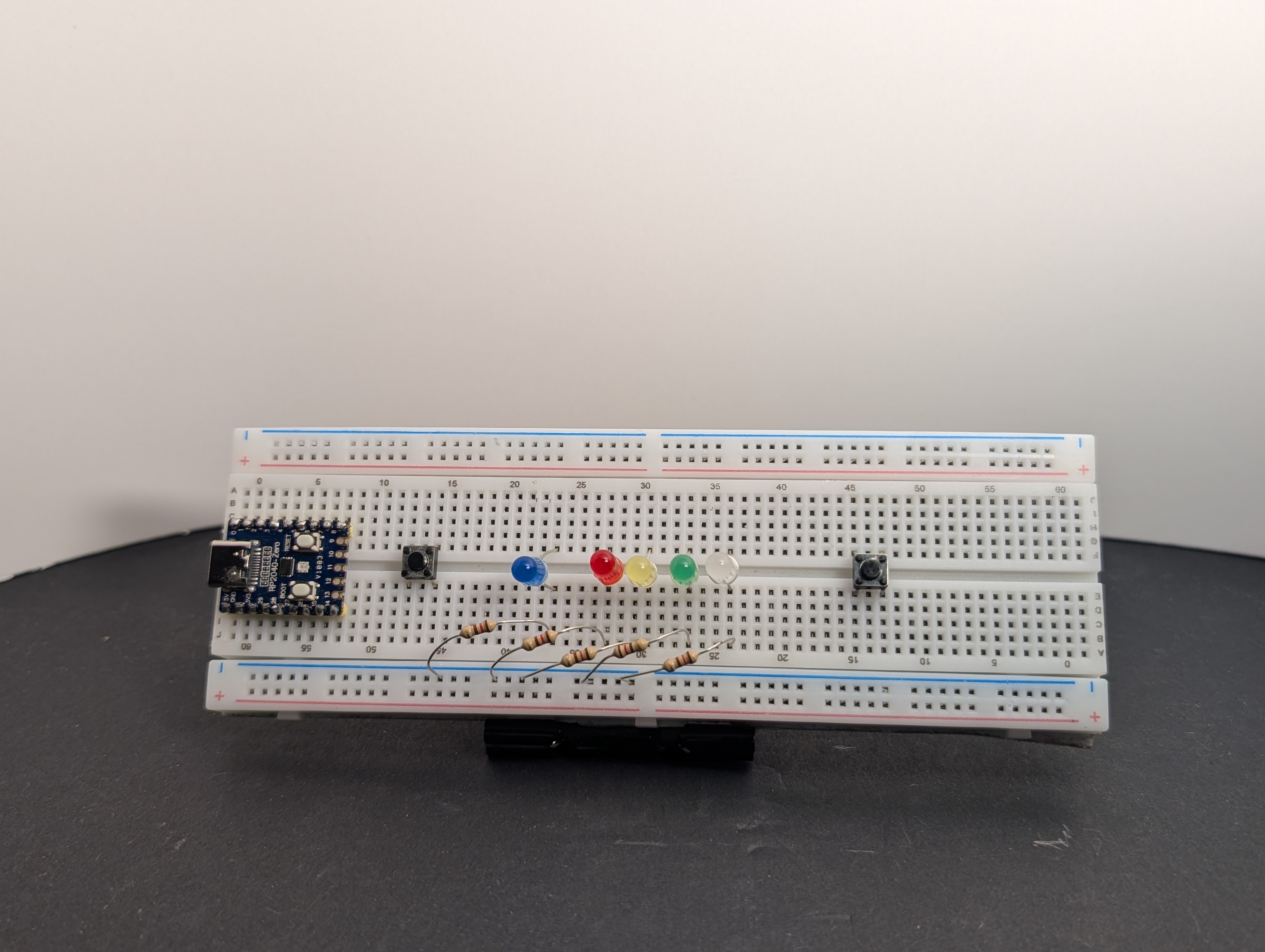
- Connect one side of each button to a GPIO pin: button 1 to
GP0 (GPIO 0)and button 2 toGP6 (GPIO 6).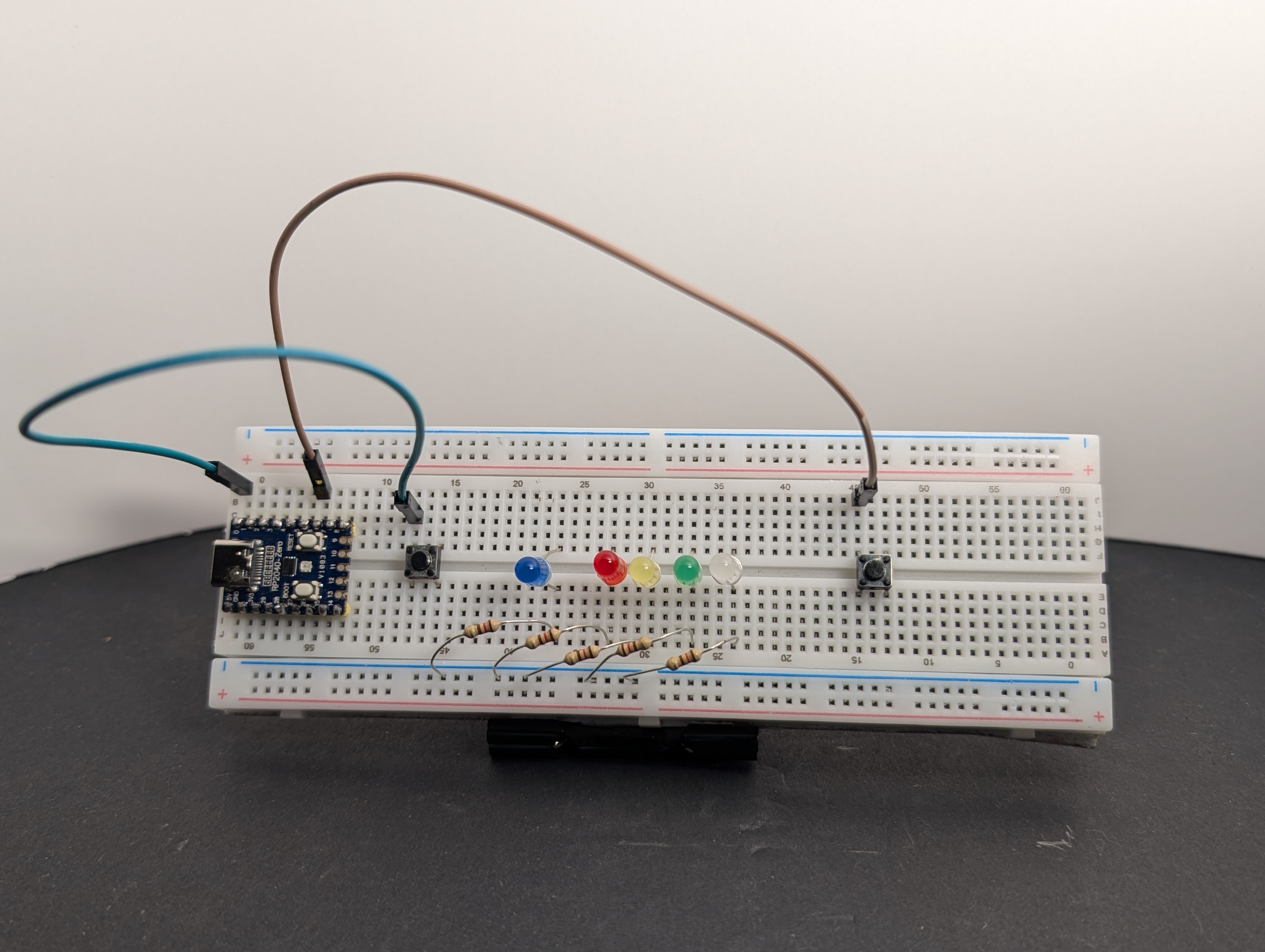
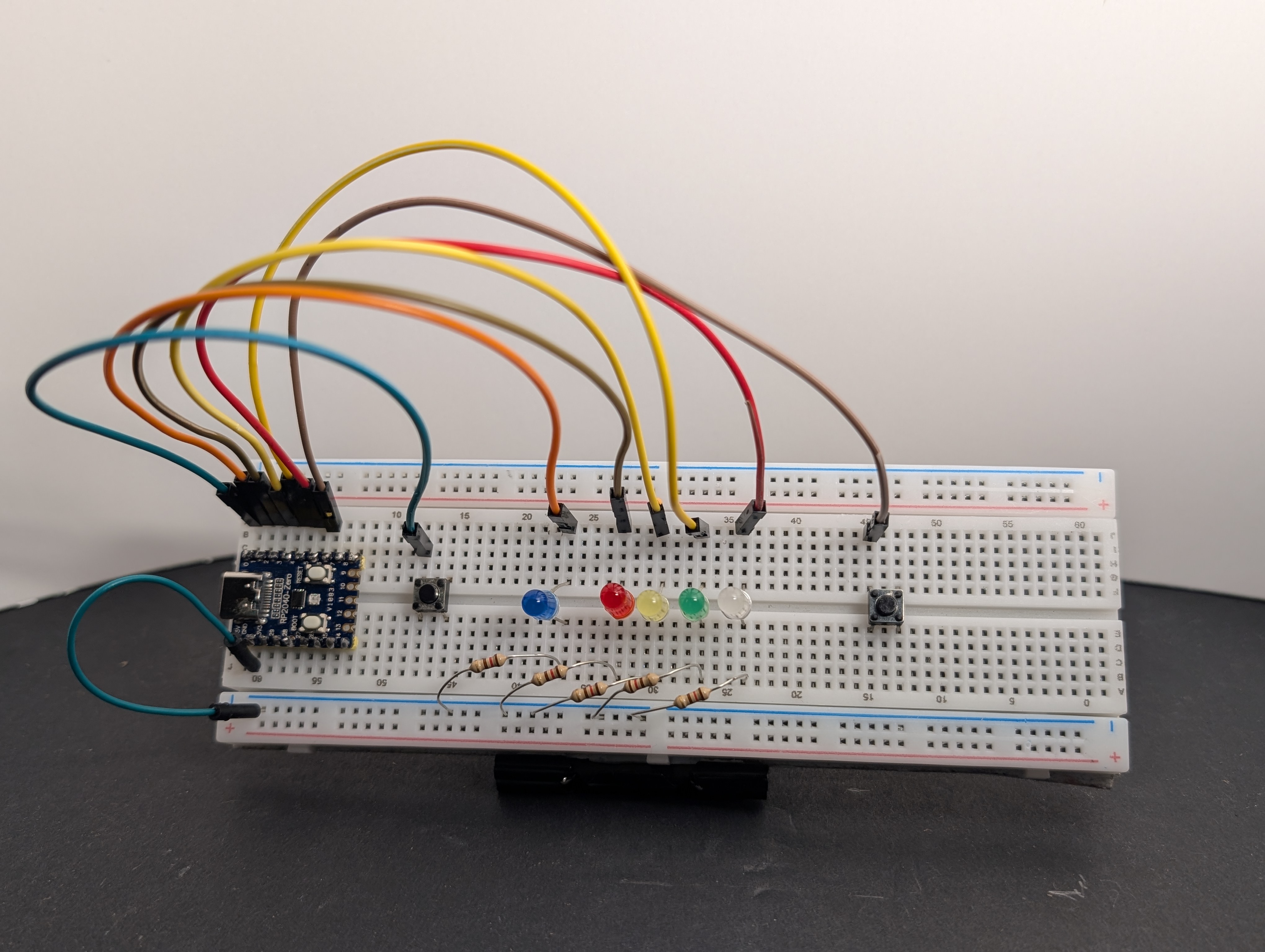
- Connect the
GNDrail toGNDon the RP2040-Zero. Then connect the long leg (+) of each LED to its GPIO pin:- player 1 LED (blue):
GP1 - red LED:
GP2 - yellow LED:
GP3 - green LED:
GP4 - player 2 LED (white):
GP5
- player 1 LED (blue):
 5. Connect the other side of each button to the
 GND rail.
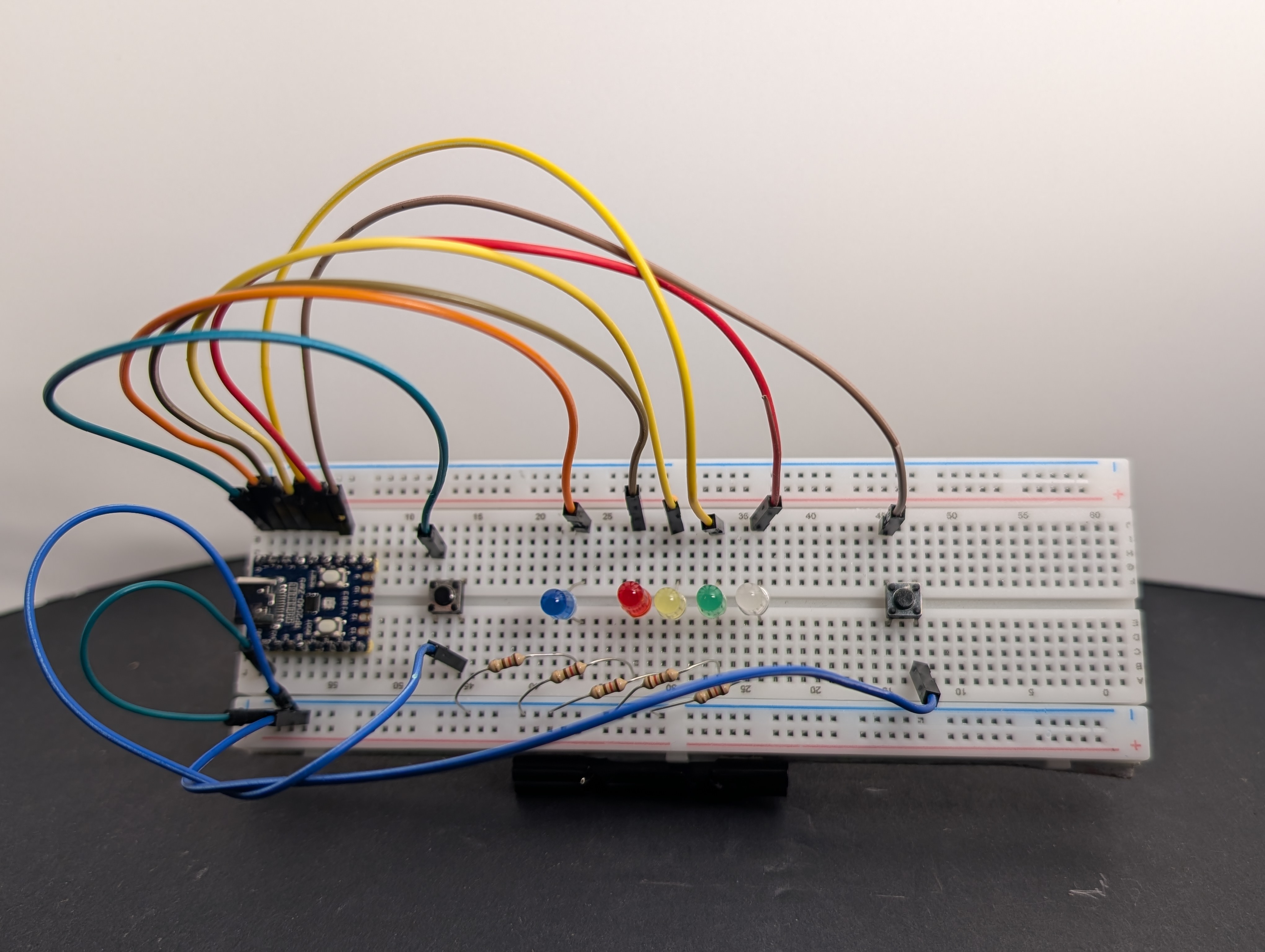 6. Plug the board into USB, load the code below, and play a round.
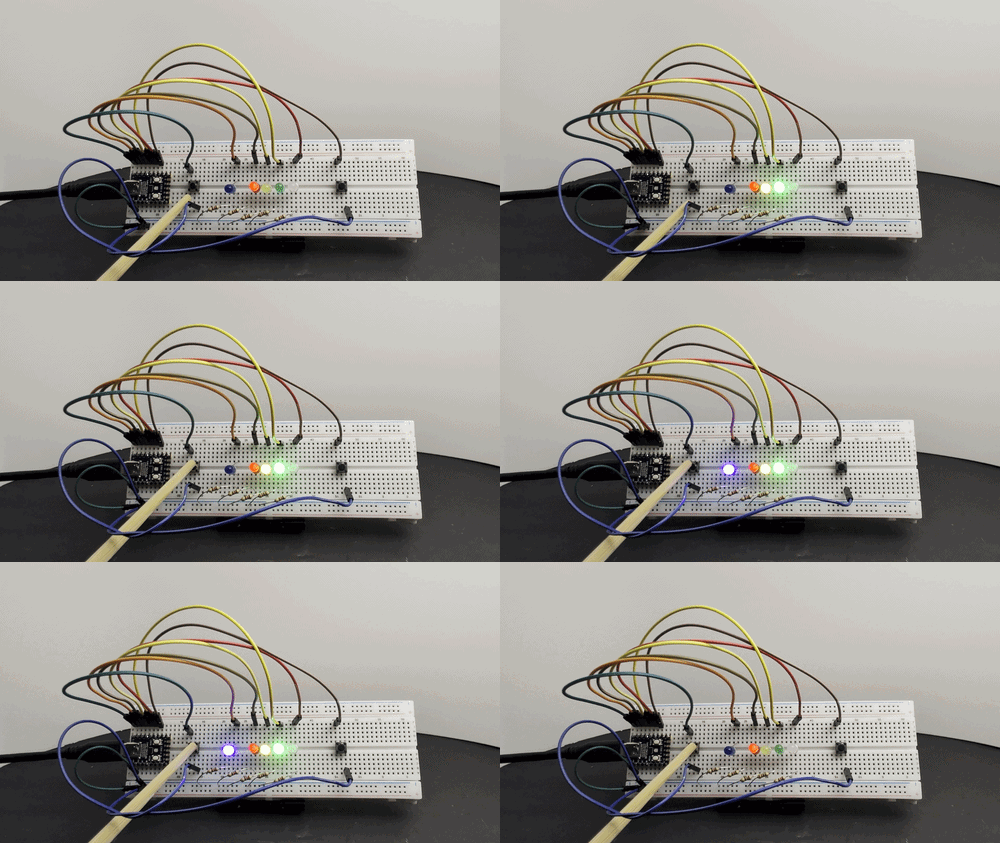
Code
Pin reminder
Wired your LEDs or buttons to different GPIO pins? Update the pin numbers at the top of the code below to match your wiring.
import machine
import time
import random

# If you wired different GPIO pins, change these numbers to match.
BUTTON_1_GPIO = 0
LED_1_GPIO = 1  # blue LED in our build
RED_GPIO = 2
YELLOW_GPIO = 3
GREEN_GPIO = 4
LED_2_GPIO = 5  # white LED in our build
BUTTON_2_GPIO = 6

GAME_OVER_DELAY = 3000  # how long the winner's LED stays on (milliseconds)

# Pin mapping
led_1 = machine.Pin(LED_1_GPIO, machine.Pin.OUT)
led_2 = machine.Pin(LED_2_GPIO, machine.Pin.OUT)
red = machine.Pin(RED_GPIO, machine.Pin.OUT)
yellow = machine.Pin(YELLOW_GPIO, machine.Pin.OUT)
green = machine.Pin(GREEN_GPIO, machine.Pin.OUT)

# Buttons connect to GND, so use the internal pull-up resistors.
# Not pressed = 1, pressed = 0
button_1 = machine.Pin(BUTTON_1_GPIO, machine.Pin.IN, machine.Pin.PULL_UP)
button_2 = machine.Pin(BUTTON_2_GPIO, machine.Pin.IN, machine.Pin.PULL_UP)


def reset():
    # Turn every LED off before the next round
    for led in (led_1, led_2, red, yellow, green):
        led.value(0)


def countdown():
    # Red, then yellow, then green, with a random wait between each
    red.value(1)
    time.sleep_ms(random.randint(500, 1000))
    yellow.value(1)
    time.sleep_ms(random.randint(500, 1000))
    green.value(1)
    # Once the green LED is on, the race begins!


print("Reaction Timer Starting...")

while True:
    reset()
    countdown()

    # Wait here until a player presses their button
    winner = 0
    while winner == 0:
        if button_1.value() == 0:
            winner = 1
        elif button_2.value() == 0:
            winner = 2

    # Light up the winner's LED
    if winner == 1:
        led_1.value(1)
    else:
        led_2.value(1)
    print("Player", winner, "wins!")

    time.sleep_ms(GAME_OVER_DELAY)  # Show the winner, then start a new round
Arduino Code Coming Soon
What to notice
- The random wait makes the game less predictable
- The
countdown()function lets you reuse the same steps every round - The code waits in a loop until one of the buttons is pressed
- The shell shows who won
Challenge
Make the game fair: if a player presses their button before the green LED turns on, they lose that round. (Hint: check the buttons during the countdown too.)
Harder challenge: measure each player's reaction time with time.ticks_ms() and print it in the shell.